Here’s how to make a faceless youtube channel: pick a niche you can fill with 50 videos, claim a handle and verify the account, build a script-to-edit stack, publish with AI disclosure, then plan 30 days.
Quick Steps
Launching a faceless channel takes about one focused weekend if you make the decisions in this order.
- Pick the niche — write 50 video titles before you open an editor.
- Create the channel — claim a handle, verify by phone, add a banner and a profile mark.
- Lock the stack — one script template, one voice, one visual source, one editing app.
- Publish video one — searchable title, readable thumbnail, AI disclosure where the content is realistic and synthetic.
- Schedule 30 days — commit to a single monetization path and publish against it.
The sequence matters more than the speed. People who open an editor before choosing a niche end up with one decent video and no idea what the second one should be. Removing the camera removes the nerves, not the planning.
Budget a weekend for steps 1 and 2 together, then a full day for your first script, voiceover and edit. Video two usually takes half that, because the template already exists. Treat the first upload as the opening of a system rather than a one-off.
What a Faceless YouTube Channel Is — and What YouTube Still Expects From You
A faceless channel is any channel where no host appears on camera. The video carries a voice, visuals and structure instead: stock footage, screen recordings, animation, archival clips, slideshows, or an AI avatar presenting a script. Nothing in YouTube’s rules requires you to show your face.
What YouTube does police is originality. According to YouTube Help, on July 15, 2025 the platform renamed and clarified its monetization policy to cover content that is repetitive or mass-produced, now called inauthentic content. That change lands squarely on template-driven faceless channels that publish the same video with a new topic swapped in.
Search Engine Journal reports that YouTube clarified the update as better detection of inauthentic content rather than a ban on established formats such as reaction or compilation videos. Your format is fine. Your sameness is the risk.
What the platform still expects from a faceless creator:
- Original framing — your script, your angle, your research, even if the footage is licensed.
- Licensed or owned assets — music, clips and images you have the right to use.
- Transparency about synthetic media — disclosed at upload when the content is realistic.
- A real account — verified, with working two-step security.
Step 1 — Choose a Faceless Niche You Can Make 50 Videos About
Time: 2–3 hours. You need: a spreadsheet and a browser.
Run the 50-title test. Open a sheet and write fifty specific video titles inside your candidate niche — not topics, titles, the kind a viewer would click. If you stall before twenty, the niche is too narrow, too shallow, or not something you actually find interesting.
Score each surviving candidate against four criteria: how easily you can source visuals without filming, whether the topics stay true for years, whether existing channels in that space are getting views on recent uploads, and whether you can write about it for months without resenting it.
Some faceless formats are visual-cheap and some are visual-expensive. Explainers built on screen recordings and charts cost almost nothing to illustrate. History or true-crime narration needs archival footage, licensing care and far more edit time. If you want a shortlist to react to, this roundup of faceless channel formats that still pull views in 2026 is a practical starting point.
Pick one. Write the fifty titles down. That sheet becomes your content calendar for the next two months.
Step 2 — Set Up the Channel: Handle, Branding, and Account Verification
Time: about 45 minutes. You need: a Google account, a square profile image, a banner image.
Create the channel from your Google account, then claim the handle immediately — handles are first-come and the good ones in popular niches disappear fast. Keep it short, pronounceable and free of numbers you’d have to spell out loud. If you’re stuck between candidates, these rules for picking a channel name that survives a rebrand will save you a rename later.
Upload your profile mark and banner at the sizes YouTube Studio recommends in the upload dialog, then write the channel description for a human and a search engine: what the channel covers, who it’s for, how often you publish.
Verify the account by phone in Studio settings and switch on two-step verification. Studio shows which features that unlocks for your channel.
Resist the urge to hide practice uploads forever. PPC Land reports that watch time on private videos does not count toward the 4,000-hour monetization threshold, so test uploads must eventually be made public to count. Use unlisted drafts for feedback, then publish the ones that deserve it — and if you need the mechanics of locking a channel down temporarily, here’s how channel privacy settings actually behave.
Step 3 — Build Your Production Stack (Script → Voiceover → Visuals → Edit)
Time: 4–8 hours for video one. You need: a writing app, a microphone or a text-to-speech tool, a visual source, an editor.
Four stages, one decision each. Make the decision once and reuse it.
Script. Write a hook in the first two sentences, then deliver on the title within thirty seconds. A useful target for a first upload is a script you can read in seven to nine minutes without rushing.
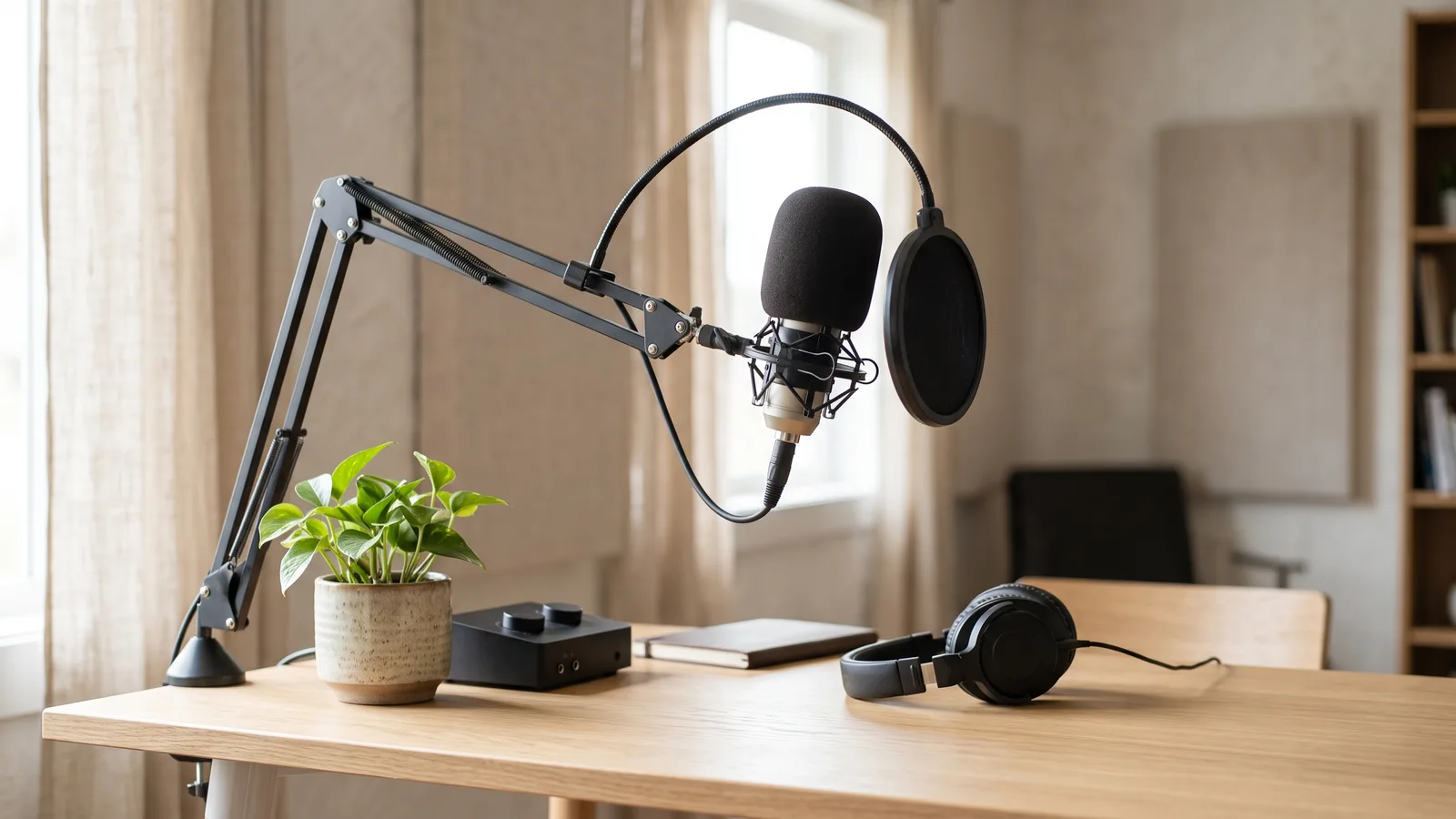
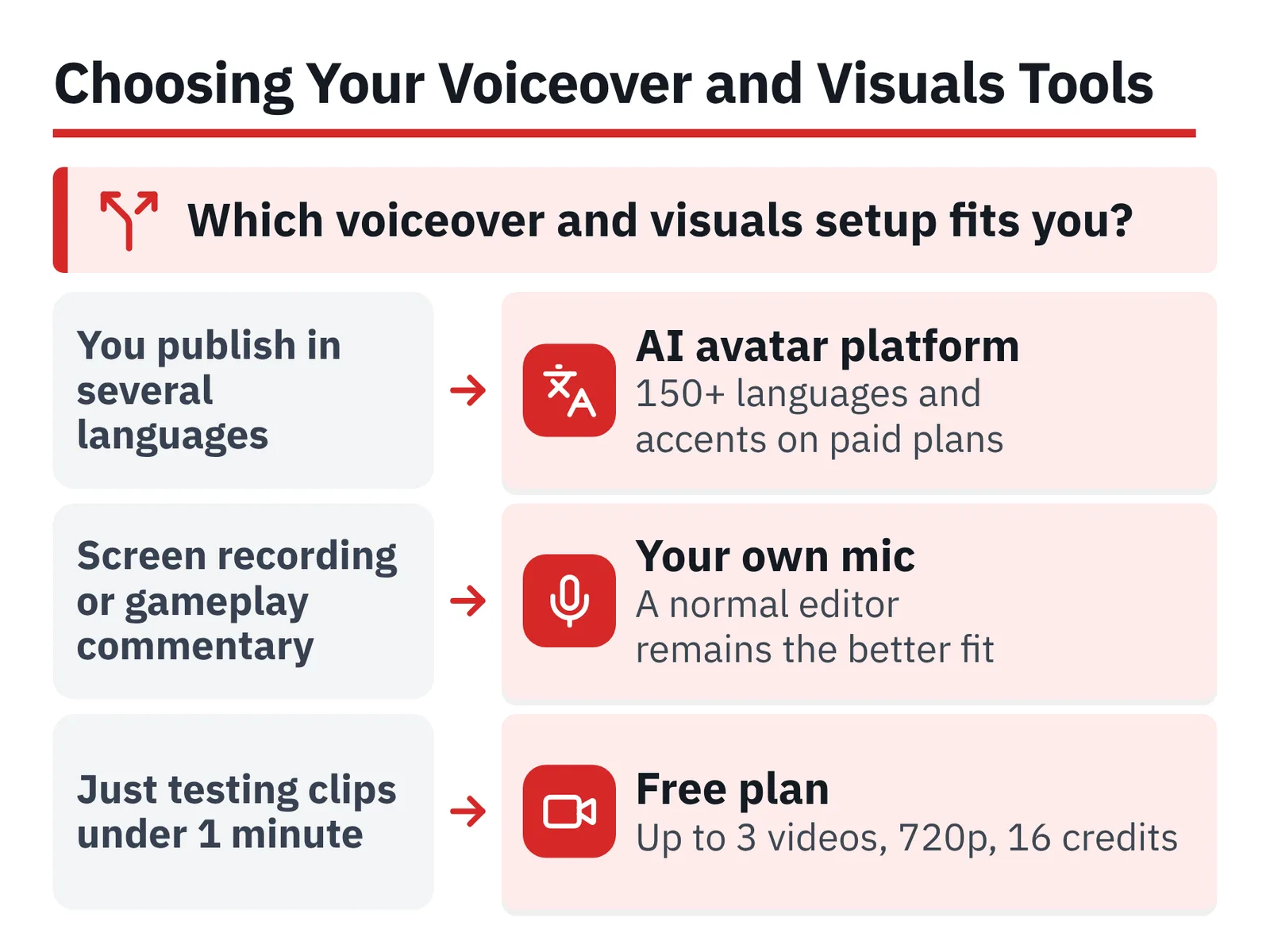
Voiceover. Your own voice recorded on a decent USB mic in a soft room is still the cheapest way to sound distinct. Synthetic voices make sense when you publish in several languages or hate recording.
Visuals. Pick one primary source — licensed stock, screen capture, motion graphics, or an avatar presenter — and one secondary. Two sources keep the look consistent and the edit fast.
Edit. Any editor you already know beats a better one you don’t.
For the voiceover-and-visuals stage, an AI avatar and text-to-video platform like AI Studios is one option worth knowing: DeepBrain AI’s cloud product creates AI avatar videos, text-to-video content and video translations, and it can build a video from a script, a topic prompt, a web URL, uploaded documents or a product page. Its pricing page lists more than 1,000 AI voices, with text-to-speech in 150+ languages and accents on paid plans and 30+ languages on the Free plan. The constraint to plan around: the Free plan costs $0 and allows up to 3 AI videos of up to 1 minute each, exported in 720p with 16 one-time generative credits — not enough for an eight-minute explainer, so you’d need a paid plan or a conventional editor. For screen-recording tutorials or gameplay commentary, a normal editor and your own microphone remain the better fit.
Step 4 — Package and Publish the First Upload: Title, Thumbnail, and AI Disclosure
Time: 60–90 minutes. You need: your finished export, a thumbnail file, a description draft.
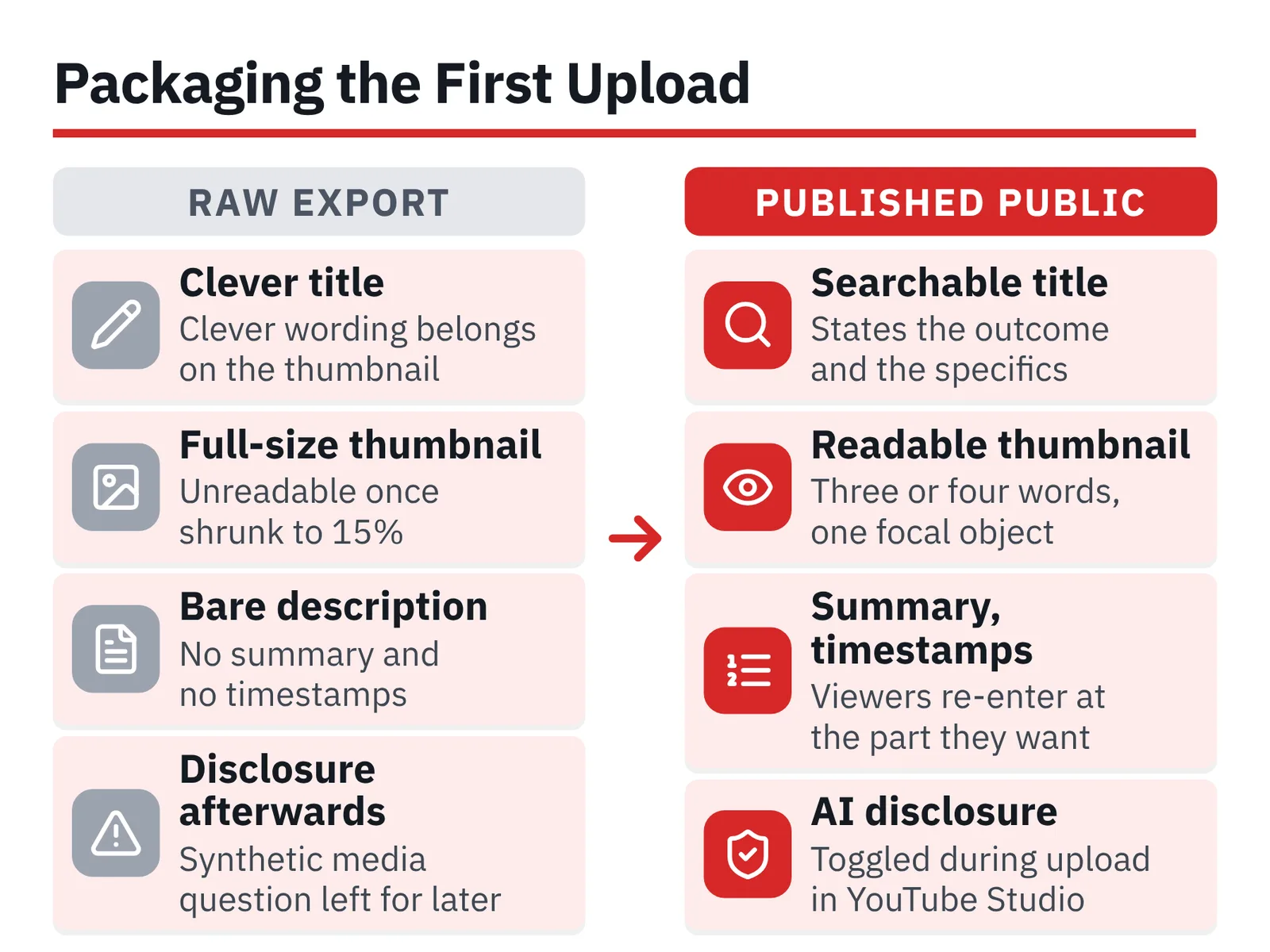
Write the title before the thumbnail. A searchable title states the outcome and the specifics — a format, a number, a named thing — and stays short enough to survive truncation on mobile. Save the clever wording for the thumbnail text.
Design the thumbnail at thumbnail size. Three or four words maximum, one focal object, high contrast, no face required. Shrink it to 15% on your screen; if you can’t read it, redo it.
Fill the description with a two-sentence summary, then timestamps. Chapters help long narrated videos because viewers can re-enter at the part they want, and this guide to getting chapters to actually appear under the player covers the formatting rules that break them.
Handle the synthetic-media question at upload, not afterwards. According to YouTube Help, creators must disclose realistic AI-generated or AI-altered content, and that disclosure is made during the upload process in YouTube Studio. A stylized animation of a volcano is not the same as a realistic scene that never happened — the realistic case is the one that needs the toggle.
Publish public. Then watch the first 48 hours of retention data rather than the subscriber count.
Step 5 — Plan the First 30 Days Toward Monetization Thresholds
Time: 1 hour of planning, then a fixed weekly slot. You need: your 50-title sheet and a calendar.
Choose one path and build the schedule around it. The two routes demand completely different output, and splitting your effort halves both.
| Path | Requirement | Source | Fits |
|---|---|---|---|
| Long-form | 1,000 subscribers + 4,000 valid public watch hours in last 12 months | YouTube Help | 8–15 min narrated videos |
| Shorts | 1,000 subscribers + 10 million valid public Shorts views in last 90 days | YouTube Help | Fast clip-based formats |
| Early access tier | 500 subscribers + 3 valid public uploads in last 90 days | StudioBinder | Fan funding before full YPP |
According to YouTube Help, the long-form path into the YouTube Partner Program requires 1,000 subscribers with 4,000 valid public watch hours in the last 12 months. The Shorts alternative requires 1,000 subscribers with 10 million valid public Shorts views in the last 90 days, per the same YouTube Help page.
YouTube Help also states that watch time earned from Shorts views in the Shorts Feed does not count toward the 4,000 qualified public watch hours threshold, so a Shorts-only faceless channel has to chase the views target instead. Mixing formats without a plan means neither counter moves fast.
StudioBinder reports that before full monetization, new channels can reach YouTube’s expanded early access tier with 500 subscribers and 3 valid public uploads in the last 90 days. That is a realistic 30-day goal. If Shorts are part of your plan, get the upload workflow for Shorts on phone and desktop sorted in week one so posting never becomes the bottleneck.
Your Pre-Launch Checklist
Run through this before you hit publish on video one.
- Fifty titles written — stored in one sheet, ordered by how easy they are to produce.
- Handle claimed and spelled consistently — same string on every platform you plan to use.
- Account verified — phone verification done, two-step verification switched on.
- Branding uploaded — profile mark readable at small size, banner safe-area respected, description written for a stranger.
- Script template saved — hook, promise, three sections, close, with a word-count target you can hit again.
- Voice decided — your own recording setup tested, or your text-to-speech voice chosen and kept consistent.
- Asset licenses confirmed — music and footage cleared for monetized use, receipts filed.
- Thumbnail tested small — legible at 15% zoom, under four words.
- AI disclosure handled — toggled in YouTube Studio at upload if the content is realistic and synthetic.
- Thirty-day calendar filled — one monetization path chosen, upload days blocked out, first three videos scripted.
If more than two boxes are empty, spend another evening on setup. Fixing a handle, a thumbnail style or a voice after twenty uploads costs far more time than getting it right now.
Common Mistakes That Sink New Faceless Channels
The failure that ends most of them: publishing thirty near-identical videos built from the same slideshow template, differing only in topic. Search Engine Journal reports that the July 15, 2025 Partner Program update was aimed at defining and restricting mass-produced, repetitious videos — a direct risk for template-driven faceless channels. Avoid it by changing something real in every upload: original research, a different structure, your own data, a new visual device.
Four more that show up constantly:
- Chasing both monetization paths at once. Long-form watch hours and Shorts views need different cadences. Pick one for the first 90 days.
- Hiding everything as private or unlisted. Nothing counts until it’s public, and feedback from nobody is not feedback.
- Switching niche at video six. The algorithm needs repeat signals from the same audience; a pivot resets them.
- Spending the first week on branding. A logo nobody has seen cannot fail. An unpublished video definitely does.
Study what longevity looks like before you copy a format — this breakdown of which channels hold the top subscriber spots and why is a useful reality check on how long the climb takes.
Frequently asked questions
Can a faceless YouTube channel be monetized?
Yes — YouTube sets no on-camera requirement. According to YouTube Help, the long-form path into the YouTube Partner Program requires 1,000 subscribers with 4,000 valid public watch hours in the last 12 months, and the Shorts path requires 1,000 subscribers with 10 million valid public Shorts views in the last 90 days.
Do I have to disclose an AI voiceover on YouTube?
According to YouTube Help, creators must disclose realistic AI-generated or AI-altered content, and the disclosure is made during the upload process in YouTube Studio. Judge your video on realism: a synthetic scene that looks like real footage needs the disclosure, a clearly stylized animation is a different case.
Did the July 2025 policy update ban faceless or AI channels?
No. YouTube Help states that on July 15, 2025 the platform renamed and clarified its monetization policy to cover repetitive or mass-produced content, now called inauthentic content, and Search Engine Journal reports YouTube clarified this as better detection rather than a ban on formats such as reaction or compilation videos.
Should a new faceless channel start with Shorts or long-form videos?
Choose based on the threshold you can realistically hit. YouTube Help notes that watch time from Shorts views in the Shorts Feed does not count toward the 4,000 qualified public watch hours threshold, so a Shorts-only channel must chase 10 million views in 90 days instead of accumulating hours.
How long does it take to launch a faceless channel from scratch?
Plan one weekend for niche research, channel setup and branding, then a full day for your first script, voiceover, visuals and edit. StudioBinder reports that 500 subscribers with 3 valid public uploads in the last 90 days reaches YouTube’s expanded early access tier, which makes a sensible 30-day target.
Sources
- The YouTube Partner Programme overview and eligibility – YouTube Help
- YouTube Partner Program overview & eligibility – YouTube Help
- YouTube clarifies Partner Program eligibility metrics for watch hours – PPC Land
- YouTube Monetization Requirements (Complete Guide) – StudioBinder
- YouTube channel monetization policies – YouTube Help
- YouTube Targets Mass-Produced Content in Monetization Update – Search Engine Journal
- YouTube Clarifies Monetization Update: Targeting Spam, Not Reaction Channels – Search Engine Journal
- Disclosing use of GenAI content – YouTube Help
This article was drafted with AI assistance and published by the YouTube Creators Editorial Team after its facts were checked against the sources listed above.