Pick ideas that answer questions beginners already type into YouTube: how-to tutorials, fix-this troubleshooting, A-vs-B comparisons, and first-purchase guides inside one narrow topic lane. Search is where a channel with zero subscribers can still get found.

Why Your First Video Ideas Should Be Chosen for Search, Not Inspiration
A brand-new channel has no subscriber base, no watch history to trigger recommendations, and no browse momentum. Search is the one surface where your fifth upload can sit next to a channel that has been publishing since 2019. The query does the audience targeting for you.
YouTube says more than 500 hours of video are uploaded to the platform every minute, which is why its search ranking system exists at all. That number is not there to discourage you. It explains why "a video I felt like making" rarely finds viewers, while "a video that answers a question people type" sometimes does.
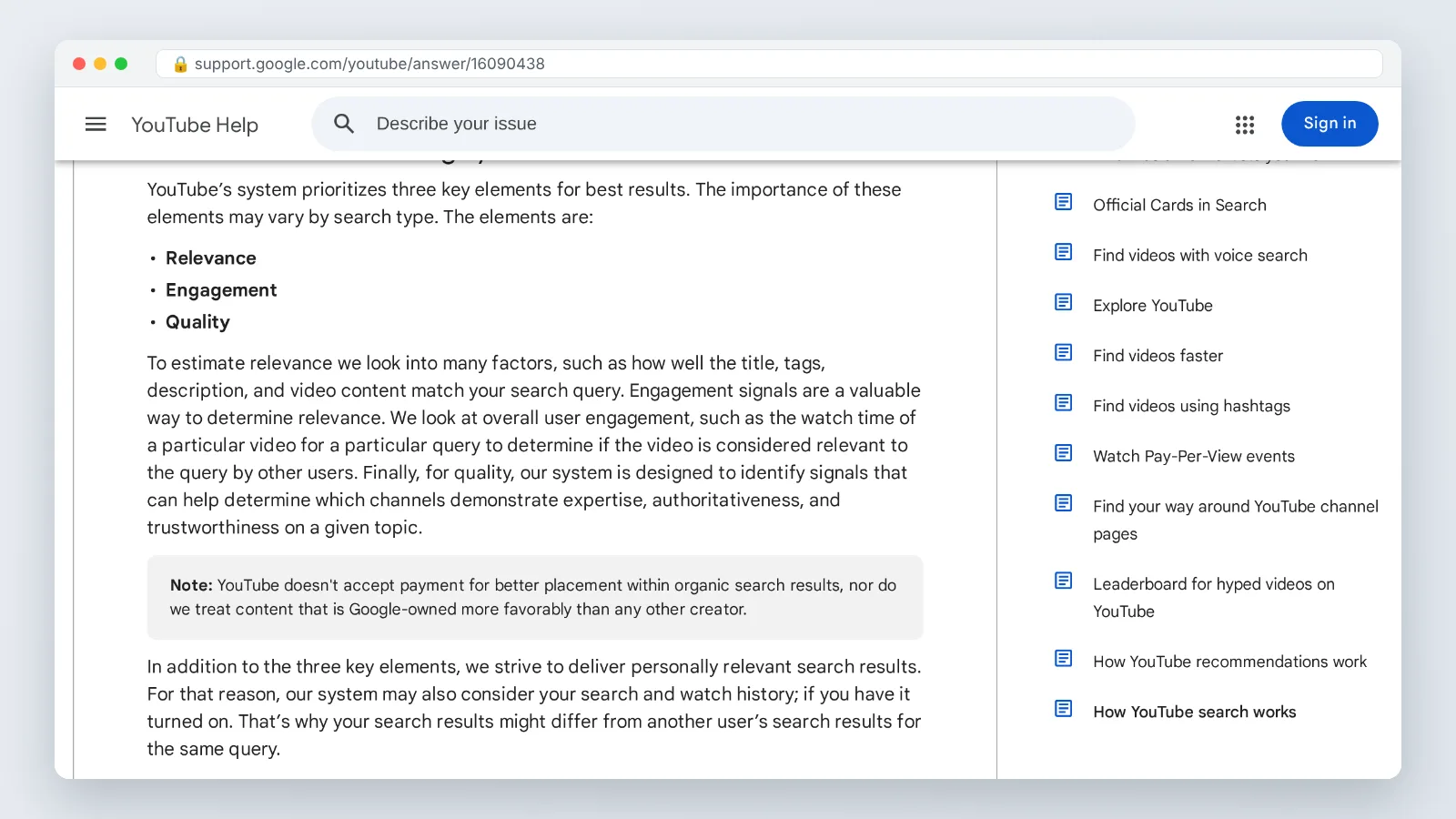
According to YouTube’s own documentation, search results are prioritized on a few main elements: relevance, engagement, and quality. Relevance is the only one you fully control on day one, through topic choice and packaging. Engagement and quality signals accumulate after people start watching.
Inspiration-first ideas fail quietly. A channel trailer, a "my first video" introduction, or a vlog about your week has almost no search demand attached to it. Nobody is typing those words. Save that content for month six, when a returning audience exists to care about it.
Step 1 — Define a Narrow Topic Lane You Can Film Every Week
Time: about 45 minutes. What you need: a blank notes file and an honest inventory of the gear, software, and skills you already own.
Write down every subject you could film tomorrow without buying anything. Cross out anything that needs a location you cannot reach weekly. What survives is your candidate lane.
Test each candidate against four questions:
- Can you name 20 specific videos inside it right now?
- Do you already own the tools, software, or ingredients required?
- Could a stranger read three of your titles and describe the channel in one sentence?
- Is there a beginner audience inside it, or only experts?
"Cooking" fails every test. "Weeknight dinners in a small apartment kitchen" passes. "Excel" fails. "Excel for warehouse and inventory jobs" passes. Narrow does not mean small; it means findable.
There is a practical reason to pick a lane that can sustain real watch sessions. According to YouTube’s Partner Program eligibility documentation, one route into the program is 1,000 subscribers plus 4,000 qualified watch hours in the last 12 months. A lane built on 45-second curiosities will struggle to reach that; a lane built on tutorials people watch to completion has a chance.
Lock the lane for 90 days. Switching topics every third upload resets whatever relevance you were building.
Step 2 — Collect Real Search Queries Beginners Are Already Typing
Time: 60 to 90 minutes. What you need: a browser in private mode, a spreadsheet with four columns, and the YouTube search bar.
Stop brainstorming. Start harvesting. Your job in this step is transcription, not creativity.
Five sources, worked in order:
- YouTube search suggestions. Type your seed term, then add each letter a through z and record every suggestion that appears.
- Question suggestions. Prefix the seed with how, why, what, best, fix, and worth, then repeat the alphabet pass.
- Comment sections. Open the three most-viewed videos in your lane and copy every question commenters ask.
- Forums and community posts. Thread titles are written in plain human phrasing, which is exactly how people search.
- Your own messages. Any question a friend, coworker, or family member has asked you about this subject is a validated query.
Record the query exactly as typed, including the awkward grammar. Then fill three more columns: intent (learn, fix, choose, or decide), whether a genuinely good video already exists, and whether you could film it this week.
Aim for 40 raw queries before filtering. Most will be duplicates or out of reach. The leftovers are your calendar.
Step 3 — Turn Those Queries Into 10 Beginner-Friendly Video Ideas That Rank
Time: about 30 minutes. What you need: your query spreadsheet and a willingness to delete half of it.
Map each surviving query to one of these ten formats. Each format matches a different search intent, and every one of them should point back to a query you actually collected.
- How to [task], step by step
- [Tool or software] tutorial for complete beginners
- [Option A] vs [Option B] for beginners
- How to fix [specific error or problem]
- What to buy first for [activity]
- [Activity] on a tight budget — full setup
- Five mistakes beginners make with [thing]
- Your first week learning [skill] — what to do in what order
- Is [product or method] worth it if you are just starting?
- How to do [task] without [common obstacle]
Formats 1, 4, and 10 are structurally better suited to holding attention, because the viewer has a problem in front of them right now. Formats 3 and 9 are structurally better suited to reaching people who are about to spend money, which often means a patient, high-intent audience.
Shorts can support the plan without carrying it. YouTube’s built-in Shorts creation tools let beginners record short-form videos of up to 3 minutes, which is enough for a single-answer clip. Keep the expectation straight though: as PPC Land reports on YouTube’s Partner Program eligibility metrics, watch time earned from Shorts played in the Shorts Feed does not count toward the 4,000 public watch hours threshold.
If being on camera is the blocker that keeps your ten ideas unfilmed, a scripted avatar or voiceover workflow such as AI Studios can get a tutorial published while you build confidence on camera. The limitation is worth stating plainly: an avatar or voiceover workflow cannot demonstrate a physical task in front of a lens, and the packaging rule later in this article asks you to show the task rather than only talk about it. Use it for screen recordings, explainers, and list formats where the demonstration lives on the screen rather than in your hands. The idea still has to answer a real query.
Step 4 — Package Each Idea: Title, Description, On-Screen Content, Intro, and Thumbnail
Time: 20 minutes per video. What you need: your chosen query, a thumbnail editor, and the first 15 seconds of your script.
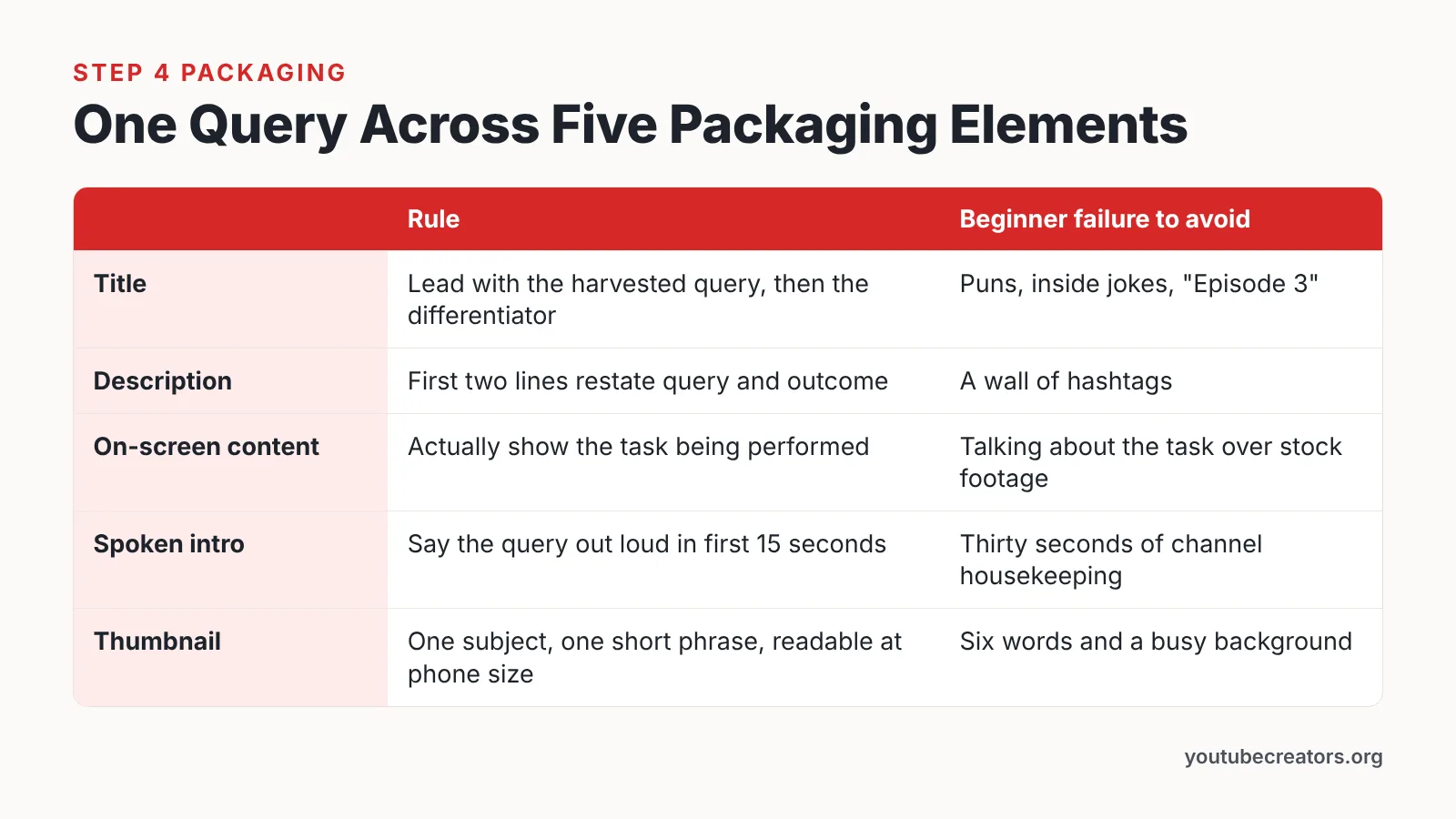
YouTube estimates a video’s relevance to a search by checking how well the title, tags, description and the video content itself match the viewer’s query. That sentence is your packaging brief. Three of those four documented relevance surfaces appear in the table below — title, description, and on-screen content — and tags are the fourth, where the same phrase belongs without padding. The two remaining rows, spoken intro and thumbnail, are packaging advice rather than documented ranking inputs: they shape whether people click and keep watching. Five rows, one phrase, no clever wordplay.
| Element | Rule | Beginner failure to avoid |
|---|---|---|
| Title (relevance surface) | Lead with the harvested query, then add the differentiator | Puns, inside jokes, "Episode 3" |
| Description (relevance surface) | First two lines restate the query and what the viewer will be able to do | A wall of hashtags |
| On-screen content (relevance surface) | Actually show the task being performed | Talking about the task over stock footage |
| Spoken intro (engagement, not relevance) | Say the query out loud in the first 15 seconds | Thirty seconds of channel housekeeping |
| Thumbnail (engagement, not relevance) | One subject, one short phrase, readable at phone size | Six words and a busy background |
Meet the technical minimum before you upload. YouTube’s thumbnail specification requires a minimum width of 640 pixels for regular videos and a minimum height of 640 pixels for Shorts.
Read your title back as if you were the searcher. If the words you typed into the search bar do not appear in it, rewrite it.
Step 5 — Publish, Check Your Traffic Sources, and Double Down on What Gets Found
Time: 20 minutes per week. What you need: YouTube Studio analytics and a note of each video’s target query.
Open Analytics, go to the traffic source report, and look at one thing: how much of each video’s viewing came from YouTube search. Check at day 7 and again at day 28, because search traffic builds slowly compared with the first-day browse spike.
Then apply three decision rules:
- A video with a rising share of search traffic means the query was real. Make two more videos adjacent to it.
- A video with almost no search traffic after 28 days usually had the wrong title, not the wrong topic. Rewrite the title to match the exact query and leave it alone for another month.
- A query that brings viewers who leave in the first minute means you answered a different question than the one they asked. Re-cut the opening so the answer starts immediately.
The search terms report inside the traffic source breakdown is the most useful list a beginner channel owns. It shows the queries YouTube already associates with you, including ones you never targeted. Those are free ideas for next month.
Remember what you are feeding. Since YouTube’s documentation lists relevance, engagement, and quality as the main elements behind search results, improving retention on an already-relevant video is usually a faster win than starting a new topic.
Checklist: Is This Video Idea Ready to Publish?
Run every idea through this before you hit record. If you cannot tick all nine lines, the idea needs another pass, not a camera.
- The exact query exists in your spreadsheet, copied from a real search suggestion, comment, or forum post.
- You can state the viewer’s problem in one sentence without using your channel name.
- The query appears in the title, close to the front.
- The query is spoken out loud within the first 15 seconds.
- The video shows the task, not only discussion of the task.
- The thumbnail meets the minimum width of 640 pixels that YouTube specifies for regular video thumbnails.
- The first two description lines restate the query and the outcome.
- You could film two related follow-ups next week if this one performs.
- Nothing in the video depends on the viewer having seen your earlier uploads.
The last line matters more than beginners expect. Search sends strangers. A video that opens with "as I mentioned last week" tells that stranger they are in the wrong place, and they leave before the answer arrives.
Common Mistakes That Keep Beginner Videos Out of YouTube Search
The most common failure is the vanity-topic launch: three videos about the channel itself before a single video about a viewer problem. The fix is mechanical. Make your first five uploads answer five harvested queries, and schedule the channel-introduction video for after you have search traffic to introduce yourself to.
Other patterns that cost beginners search visibility:
- Broad topics in narrow videos. A title like "Photography Tips" competes with everything. "How to shoot indoors without a flash" competes with a handful of videos.
- Clever titles. Wordplay removes the query from the title, and the query is the signal.
- Mismatched content. Promising a fix in the title and spending four minutes on background forces viewers out early.
- Changing lanes every upload. The channel never accumulates relevance in one subject.
- Treating Shorts as the whole plan. Short-form can introduce you, but watch time from the Shorts Feed does not count toward the 4,000 public watch hours threshold, as PPC Land reports.
- Republishing instead of retitling. Deleting an underperforming video erases its slow-building search history. Fix the title and wait.
Pick one mistake from this list that describes your last upload. Correct that single thing on the next one.
Frequently asked questions
How many video ideas should a beginner prepare before publishing the first one?
Prepare ten, drawn from the ten formats in Step 3, each tied to a query you actually harvested. Ten gives you about ten weeks of weekly uploads, enough runway to see which topics search rewards before you change direction.
Do Shorts count toward YouTube monetization for a beginner channel?
Partly. One route into the YouTube Partner Program is 1,000 subscribers plus 4,000 qualified watch hours in the last 12 months, but as PPC Land reports, watch time from Shorts played in the Shorts Feed does not count toward the 4,000 public watch hours threshold.
How long should a beginner’s first search-focused video be?
Long enough to finish the answer and no longer. A how-to that solves the problem in six honest minutes beats a padded fifteen-minute version, because retention feeds the engagement element YouTube lists among its main search ranking considerations.
What size should my thumbnail be?
YouTube’s thumbnail specification requires a minimum width of 640 pixels for regular videos and a minimum height of 640 pixels for Shorts. Design it to be readable at phone size: one subject, one short phrase, high contrast, nothing crowded into the corners.
How long before a new video starts getting search traffic?
Expect weeks, not hours. Check the traffic source report at day 7 and again at day 28; search share usually climbs after the initial subscriber and browse spike fades, so judging a video on its first 48 hours misleads you.
Sources
- Learn more about how YouTube works for you – YouTube Help
- How YouTube search works – YouTube Help
- YouTube Partner Program overview & eligibility – Android – YouTube Help
- YouTube clarifies Partner Program eligibility metrics for watch hours — PPC Land
- Get started creating YouTube Shorts – YouTube Help
- Add custom thumbnails on YouTube – Computer – YouTube Help
This article was drafted with AI assistance and published by the YouTube Creators Editorial Team after its facts were checked against the sources listed above.