Find channels by topic, size or location in five steps: set criteria, search free with YouTube’s filters and featured-channel trails, run a dedicated finder tool, query the Data API v3, then qualify each channel before pitching.
What a YouTube channel finder is and when you actually need one
A YouTube channel finder is any system that hands you a list of channels matching conditions you set: niche, subscriber band, country, language, upload frequency. That system can be YouTube’s own search bar with filters applied, a third-party database that indexes channels, or a short script you run against the YouTube Data API v3. The tool is interchangeable. The output is not — you want channel IDs, URLs and enough context to decide who deserves an email.
You need a finder when manual browsing stops scaling. Tracking down ten cooking channels by hand is one afternoon of clicking; assembling a few dozen German-language woodworking channels inside a narrow subscriber band that have all uploaded recently is a different job entirely.
Three tasks usually push creators into structured search:
- Collaboration outreach — you want peers at a similar size who film the same kind of thing.
- Competitive research — you want to see how twenty channels in your format title, package and pace their uploads before you commit.
- Sponsorship or affiliate scouting — you want channels whose audience already buys what you or a client sells.
Skip the tooling if you only need three names and already know the niche. Open YouTube, search, click. A finder earns its keep once you need repeatable criteria and a list you can sort.
Step 1 — Write down your search criteria: topic, size, language and location
Rough planning estimate: 20–30 minutes. You need: a spreadsheet with one row per criterion.
Write the criteria before you touch any tool. Vague inputs produce vague lists, and a list you cannot filter is a list you will never contact. Each criterion should be testable by looking at a channel page for thirty seconds.
| Criterion | Write it as | Why it matters |
|---|---|---|
| Topic | Two or three search phrases a viewer would type | Niche labels differ from search language |
| Size | A subscriber range, not a minimum | Prevents a list of channels far above your reach |
| Language | Spoken language of uploads | Dubbed and subtitled channels behave differently |
| Location | Country of the creator, or filming location | Affects sponsor fit, time zones and shipping |
| Cadence | Last upload within X weeks | Filters out dormant channels fast |
| Format | Long-form, Shorts, livestream, or mixed | A Shorts channel rarely fits a 20-minute collab |
Location is the criterion that breaks most often, so set expectations early: the API’s geographic filters are narrower than they sound, and Step 4 covers exactly where they stop. Creator country is usually inferred from language, accent, currency mentioned on screen, or the About page instead.
Size ranges deserve a second look too. Pick a band roughly half to triple your own subscriber count for collaborations, and ignore it entirely for research, where bigger channels teach you more.
Step 2 — Search free first with YouTube’s filters, related channels and featured-channel trails
Rough planning estimate: 45–60 minutes. You need: a browser and your criteria sheet from Step 1.
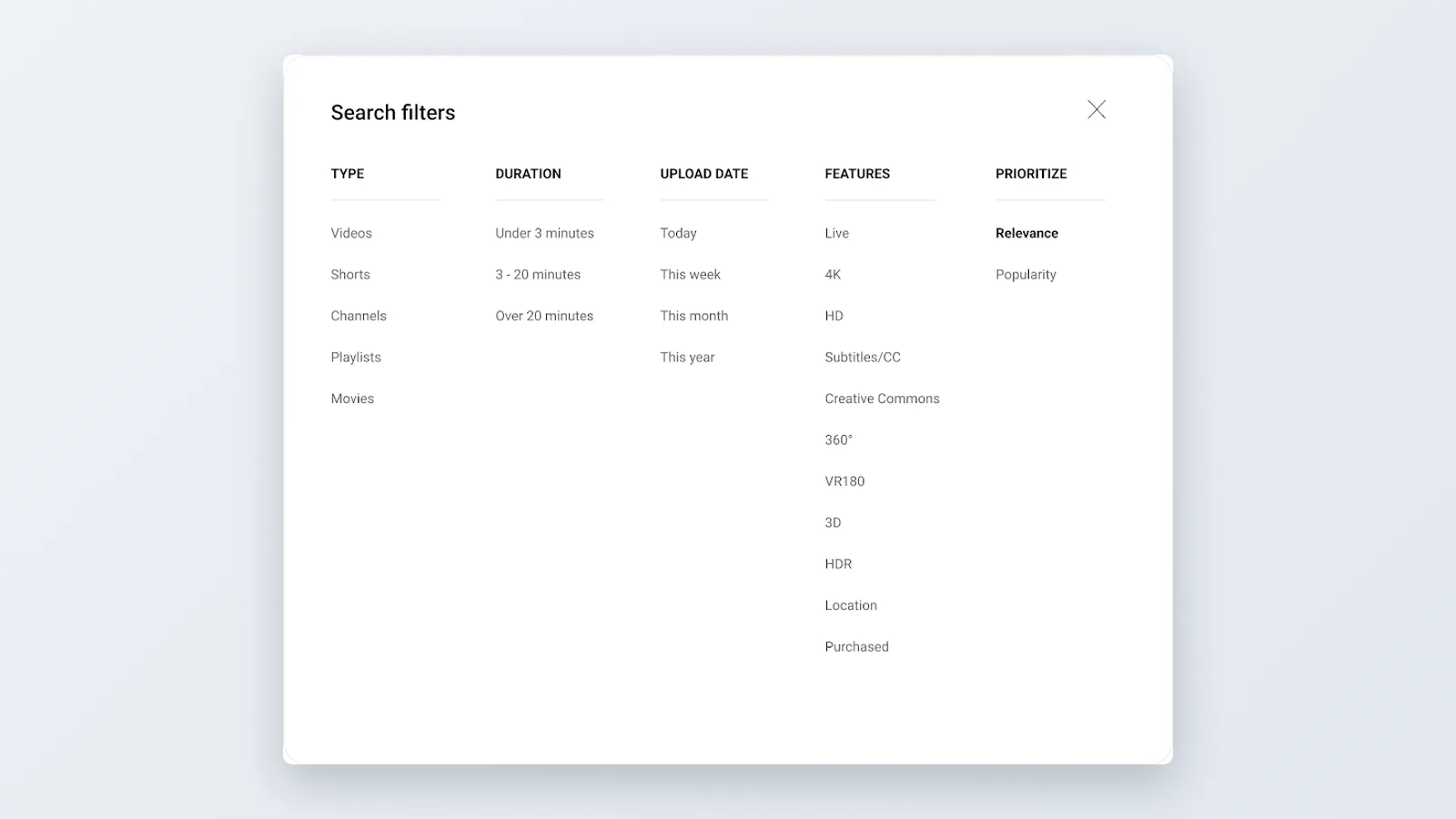
Start inside YouTube because it costs nothing and surfaces channels no database has indexed yet. Type one of your topic phrases, open the Filters panel, and set Type to Channel. The results list channels rather than videos, which is exactly what you asked for in Step 1.
Run the same search three ways: the obvious phrase, the phrase a beginner would type, and the phrase an expert would type. "Sourdough starter," "bread for beginners" and "open crumb hydration" surface three partially overlapping sets of creators.
Follow the trails next. Four free routes find channels that search alone misses:
- The Channels tab on any channel page — creators feature peers they actually know.
- Collaboration videos — titles containing "with," "ft." or "@" point straight at a second channel.
- Pinned and top comments on mid-size videos — fellow creators comment on each other constantly.
- Playlists built by other people that include your target topic, which often collect a dozen channels in one place.
Keep a tab discipline: every channel you open goes into the sheet with its URL and subscriber count, or it never existed. Set a planning target of 30–50 names before you stop for the session — enough of a baseline to sanity-check whatever a paid tool returns later.
Step 3 — Use a dedicated YouTube channel finder tool to filter by subscribers, country and niche
Rough planning estimate: 60 minutes for the first run. You need: an account on one finder tool and your criteria sheet.
Dedicated finders exist because they have already crawled and stored what you would otherwise request live. Phyllo reports that individual YouTube Data API operations range in cost from 1 unit to 1,600 units depending on the endpoint called, which explains why serious finder products cache channel data rather than query YouTube fresh on every search.
Judge any tool against your Step 1 sheet, not its marketing. Ask four questions before you pay for a month:
- Can you filter by a subscriber range, with both a floor and a ceiling?
- Can you filter by country and by channel language separately?
- Does it expose last upload date, so dormant channels drop out?
- Can you export to CSV, so the list lives in your sheet and not in someone’s dashboard?
Run your narrowest criteria first. A search that returns four channels tells you more than one returning four thousand, because the four are checkable in ten minutes.
Treat the tool’s niche categories with suspicion. Category tags are assigned in bulk and often misfile a channel — a camera-review channel filed under "Technology" when your sponsor wants "Photography." Verify by opening the channel, every time, before the name reaches your outreach list.
Step 4 — Build your own finder with the YouTube Data API v3 and stay inside the quota
Rough planning estimate: half a day for the first version. You need: a Google Cloud project, an API key, and a script or spreadsheet add-on.
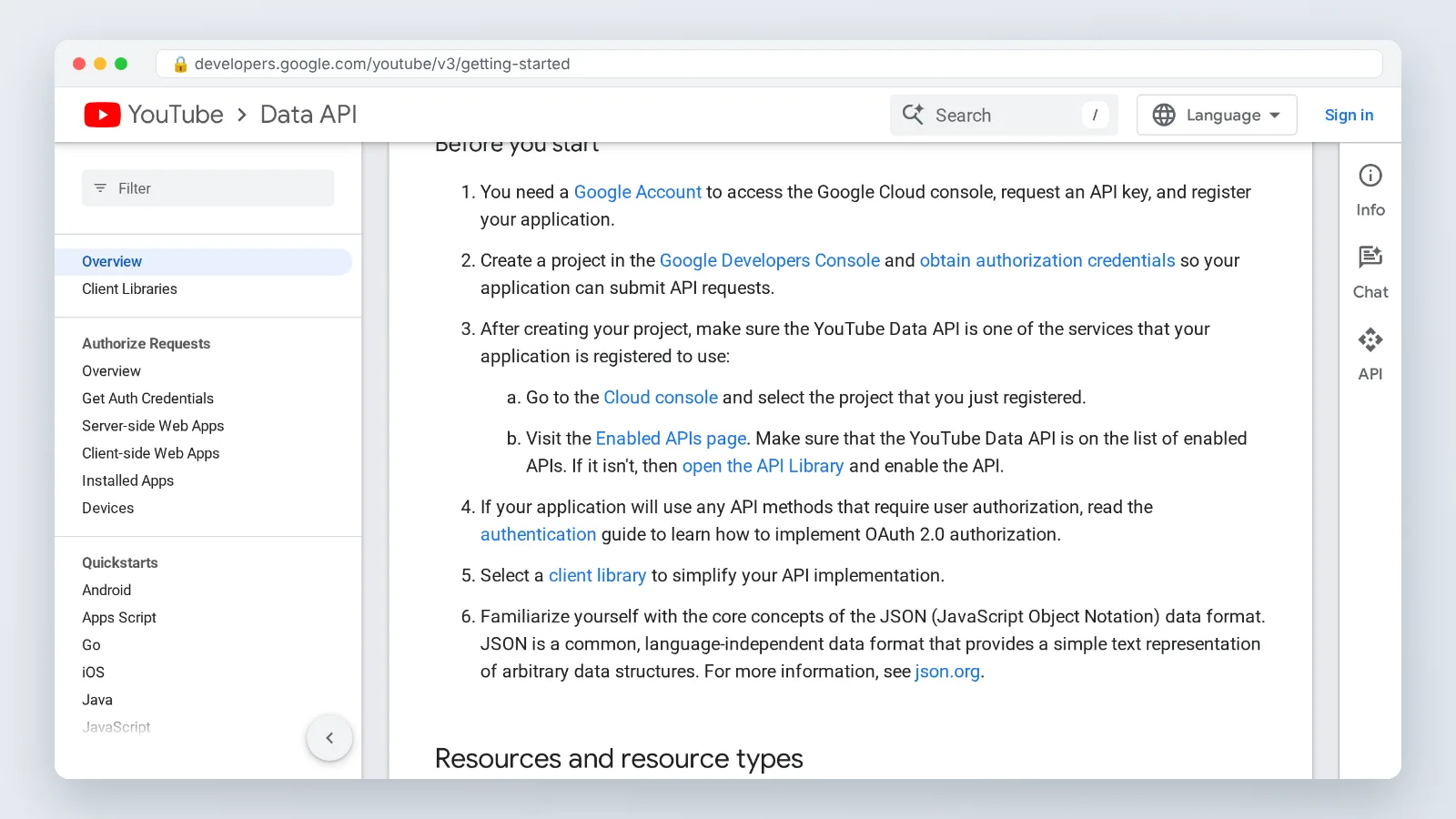
Building your own finder makes sense when your criteria are unusual, recurring, or both — weekly lists of channels that posted a video tagged with a specific topic, for example. Enable the YouTube Data API v3 in a Google Cloud project, generate an API key, and start with two endpoints only: `search.list` to discover and `channels.list` to enrich.
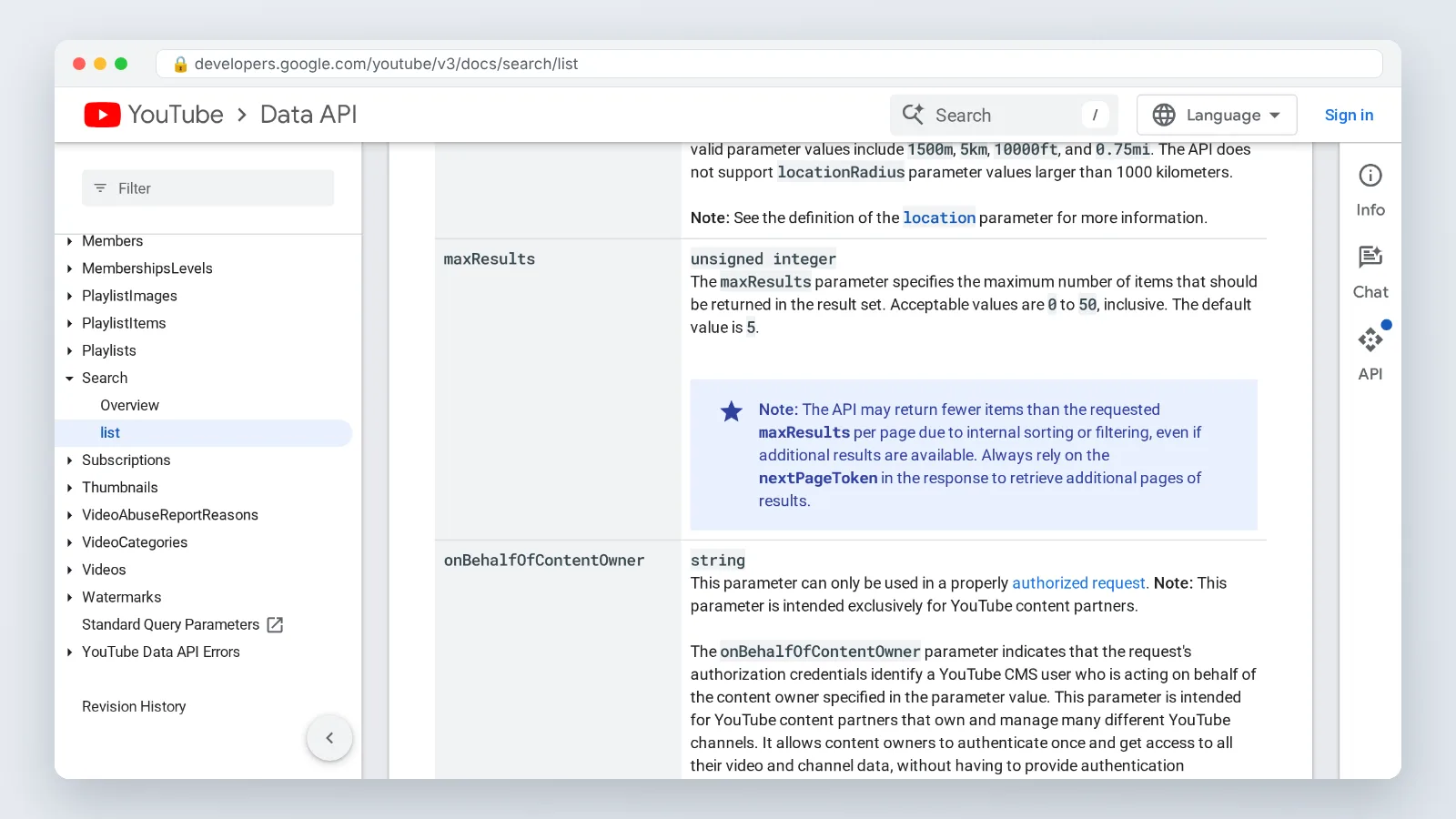
Budget before you code. OutlierKit reports that a single `search.list` keyword query costs 100 quota units — 1% of the default daily allowance — and returns at most 50 results per page. Google for Developers documents that in `search.list` the `maxResults` parameter accepts values from 0 to 50 and defaults to just 5, so always set it explicitly and paginate for anything larger.
If you plan to filter geographically, build around two hard limits. Google for Developers states that the `location` parameter filters against video metadata, so only videos whose metadata includes a geographic location can be found that way, and the same reference documents that the API rejects `locationRadius` values larger than 1,000 kilometers. Treat geography as a rough screen, not a reliable criterion.
The cheap pattern is search rarely, enrich often. ChannelCrawler notes that looking up a channel’s details with `channels.list` costs only 1 quota unit versus 100 units for a keyword search, which makes refreshing a saved list of channel IDs dramatically cheaper than finding new ones.
Store every channel ID you ever touch in a database or sheet. ChannelCrawler also notes that the YouTube Data API quota is per Google Cloud project and resets at midnight Pacific Time each day, so an exhausted quota locks your research until that reset — with saved IDs you can keep enriching tomorrow instead of re-discovering.
Step 5 — Qualify each channel before you pitch on audience fit, cadence and engagement
Rough planning estimate: 8–10 minutes per channel. You need: the channel page, its three most recent videos, and a pass/fail column in your sheet.
A list of channels is not a list of prospects. Qualification is where most of the value gets created, and it is the step creators skip when the list looks impressively long.
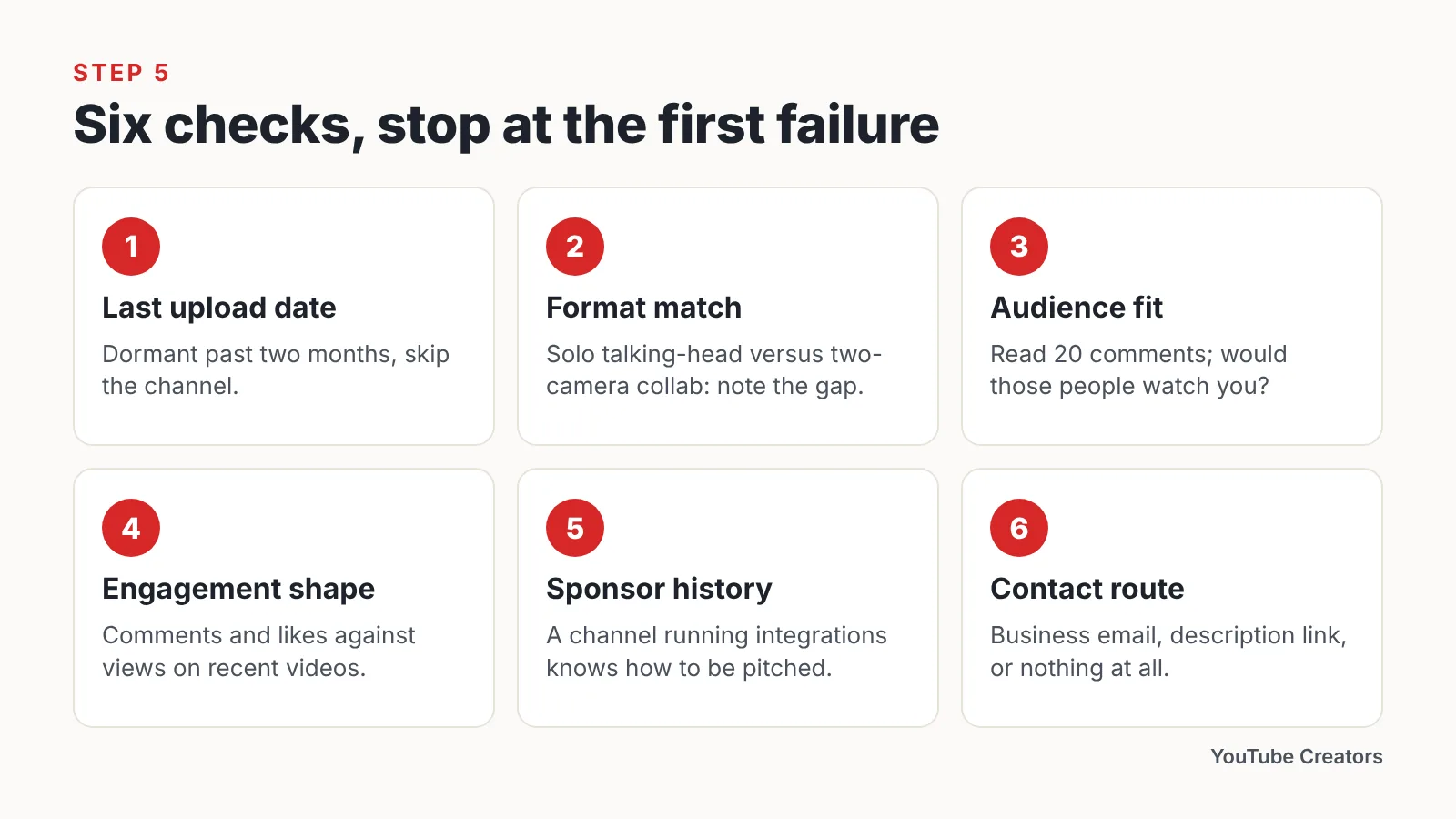
Check these six things in order, and stop at the first failure:
- Last upload date — dormant past two months, skip.
- Format match — if they film solo talking-head and you want a two-camera collab, note the gap.
- Audience fit — read 20 comments and ask whether those people would watch your channel.
- Engagement shape — comments and likes relative to views on *recent* videos, not career-best ones.
- Sponsor history — a channel that already runs integrations knows how to be pitched.
- Contact route — business email on the About page, a link in the description, or nothing at all.
Write one specific detail about each qualified channel into your sheet: a video title you genuinely watched, a running joke, a format choice you admire. That single column is what turns a cold email into a reply, and it is the only part of this process no finder tool can produce for you.
Your YouTube channel finder checklist
Run this before every outreach or research push. It takes a few minutes and prevents the two expensive failures — a wasted day and a burned quota.
- [ ] Criteria written down: topic phrases, subscriber range, language, country, cadence, format.
- [ ] Free search done first — Filters set to Channel, three phrasings tried.
- [ ] Featured-channel trails followed from at least five channels you already like.
- [ ] Paid tool checked against your criteria, with CSV export confirmed.
- [ ] API key stored outside your code, quota cost per query estimated before the first run.
- [ ] Channel IDs saved permanently, so enrichment never requires re-discovery.
- [ ] Location expectations set realistically — country inferred by eye, geographic API filters treated as a rough screen only.
- [ ] Every channel opened and eyeballed before it reaches the outreach column.
- [ ] One specific, personal detail recorded per qualified channel.
- [ ] Dormant channels removed, not archived in the same list.
- [ ] A re-run date on the calendar, because niches refresh every few months.
Keep the sheet alive rather than rebuilding it each quarter. Channels that were too big for a collab last year are sometimes reachable this year, and channels that went quiet come back.
Common mistakes creators make when finding channels
The most expensive mistake is spending an entire day’s API quota on broad discovery queries before lunch. Searches like "gaming" return channels you would have found by typing the word into YouTube, and each one bills the full search cost. Avoid it by running every query first with a tiny result cap, reading the output, and only then widening — and by saving channel IDs so repeat runs use cheap lookups instead of fresh searches.
A related misunderstanding costs people days of waiting. Google for Developers states that getting more than the default YouTube Data API quota is not a paid upgrade but requires passing a compliance audit against the YouTube API Services Terms, so plan your project around the default allowance rather than around an increase you may not receive.
Four more traps worth naming:
- Chasing subscriber counts instead of audience overlap, which produces polite rejections from channels ten times your size.
- Trusting tool categories without opening the channel, which puts the wrong niche in your outreach list.
- Ignoring last-upload date, so pitches land in abandoned inboxes.
- Pitching the whole list at once with one template, which reads exactly like what it is.
Find fewer channels and qualify them harder. Twelve well-researched names outperform four hundred rows every time.
Frequently asked questions
Is there an official YouTube channel finder?
No standalone product exists from YouTube, but YouTube’s own search with the Filters panel set to Type: Channel is the closest official equivalent and costs nothing. Third-party finders and the YouTube Data API v3 fill the gaps for subscriber-range and country filtering.
How do I find YouTube channels by subscriber count?
Free YouTube search cannot filter by subscriber range, so use a third-party finder with a floor and ceiling, or build an API script that discovers with search.list and then reads subscriber counts via channels.list — by far the cheaper of the two calls, as Step 4 sets out.
Can I find YouTube channels by country or location?
Partly. Creator country is usually inferred from language, the About page and on-screen cues, because the API’s geographic filters work only against video metadata and cap how wide a radius you can request. Step 4 covers both limits and their source.
How much does the YouTube Data API cost to run a channel finder?
Access is free within the default allowance, but queries consume quota units rather than dollars. Keyword discovery searches are the expensive call and return a capped page of results, while channel lookups are cheap, so discovery should be rationed carefully. Step 4 lists the per-call costs and their sources.
How many channels should I shortlist before starting outreach?
Aim for a shortlist you can personalize in one sitting — roughly ten to fifteen qualified channels, each with a specific detail noted. Volume lists get template emails, template emails get ignored, and a dead channel in the list wastes the same effort as a live one.
Sources
- Quota and Compliance Audits — YouTube Data API, Google for Developers
- YouTube Search API: How search.list Works, What It Costs & Smarter Alternatives (2026) — OutlierKit
- YouTube API Daily Limit: Quotas, Costs, and How to Scale Beyond 10,000 Units — ChannelCrawler
- YouTube API Quota Limits 2026: 10,000 Units, Costs & How to Get More — Phyllo
- Search: list — YouTube Data API, Google for Developers
- YouTube.Search.List — YouTube Data API v3 reference, Google for Developers
This article was drafted with AI assistance and published by the YouTube Creators Editorial Team after its facts were checked against the sources listed above.